LLM-Friendly
LLM Friendly Browser Extension
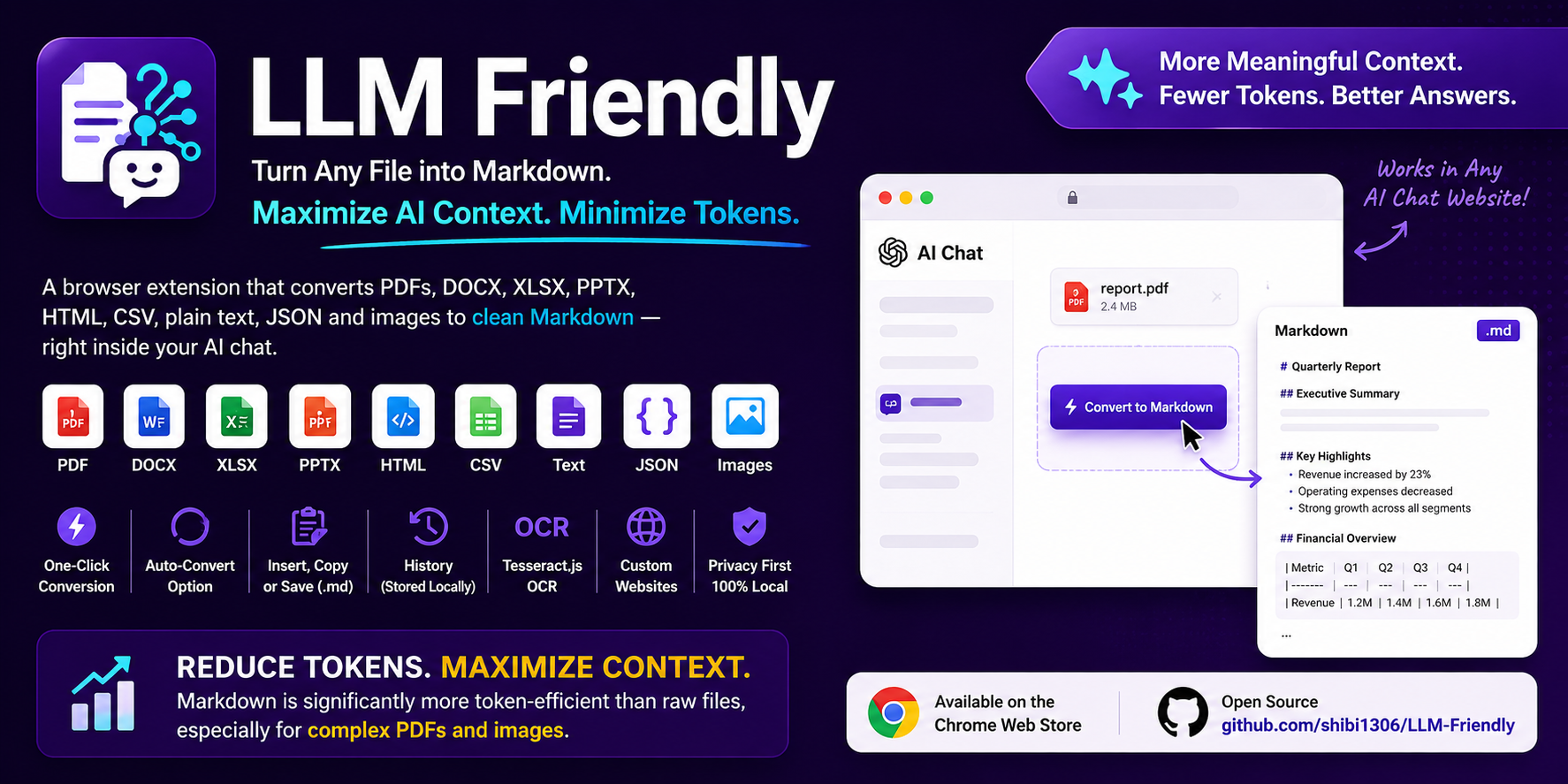
Convert PDF, DOCX, XLSX, PPTX, HTML, CSV, plain text, JSON and image files to Markdown directly inside AI‑chat websites.
Supported browsers: Chrome, Edge, Brave (Manifest V3) and Firefox (Manifest V2). Safari is not available yet.
About
LLM Friendly is a browser extension that helps Large Language Models process your documents more efficiently by converting PDFs, Word documents, Excel spreadsheets, PowerPoint presentations, HTML pages, CSV files, JSON data, plain text files, and images into structured Markdown or text directly inside AI chat platforms.
Many users regularly upload PDFs, images, spreadsheets, presentations, and other documents to Large Language Models for analysis, summarization, and question answering. However, these formats often contain complex layouts, formatting metadata, embedded objects, and structural overhead that consume additional tokens. By transforming documents into clean, AI-friendly Markdown, LLM Friendly removes unnecessary overhead and presents content in a format that LLMs can process more efficiently, allowing models to focus on the information that matters most while maximizing available context and reducing token consumption.
Features
- One‑click conversion — drop a file, click Convert, get Markdown instantly.
- Auto‑convert (optional) — start conversion automatically when a file is attached or pasted.
- Insert / Copy / Save — insert generated Markdown into the chat input, copy to clipboard, or download as
.md. - Upload intercept — intercept files before they reach the chat and offer to convert them first. Optionally disable to let files upload while still offering conversion.
- ZIP file support — extract ZIP archives, identify and convert all supported files inside. Insert individual files or all at once with one click.
- OCR for embedded images — extract and recognise text from images inside PDF, DOCX, PPTX, and XLSX files before Markdown conversion.
- Selectable OCR language — choose from 30+ Tesseract language packs (Arabic, Chinese, French, German, Hindi, Japanese, Korean, Spanish, and more).
- Dark & Light mode — choose between light, dark, or system-following theme in the extension settings.
- History — locally stored conversion history (never leaves your browser) with configurable item limit.
- Custom sites — enable the conversion prompt on any website of your choice.
- Privacy‑first — all conversion runs on your local device. No data is sent to external servers.
Installation
Install from your browser’s extension store:


1. Chrome Web Store
Install the extension directly from the Chrome Web Store:
LLM Friendly on the Chrome Web Store
To pin the extension to your toolbar:
- Click the puzzle piece (Extensions) icon in the Chrome toolbar.
- Find LLM Friendly in the list.
- Click the pin 📌 icon next to it so it stays visible in your toolbar.
2. Firefox Add-ons
Install the extension from Mozilla Add-ons:
LLM Friendly on Firefox Add-ons
3. Manual (development / unpacked version)
git clone https://github.com/shibi1306/LLM-Friendly.git
cd LLM-Friendly
npm install
Chrome / Edge / Brave (Manifest V3)
npm run build:chrome
# Output: ./dist
# Zip for the Chrome Web Store:
npm run package:chrome   # → llm-friendly-chrome.zip
Load unpacked: open chrome://extensions (or edge://extensions) → enable Developer mode → Load unpacked → select ./dist.
Firefox (Manifest V2)
npm run build:firefox
# Output: ./dist-firefox
# Zip for Mozilla Add-ons:
npm run package:firefox  # → llm-friendly-firefox.zip
Load temporarily: about:debugging#/runtime/this-firefox → Load Temporary Add-on… → dist-firefox/manifest.json.
Development (watch mode)
npm run dev           # Chrome build, watches for changes
npm run dev:firefox   # Firefox build, watches for changes
Tests
Playwright covers converter unit tests and browser E2E flows (Chrome extension load + Firefox build checks).
npx playwright install chromium firefox   # once
npm run test:unit       # PDF, DOCX, XLSX, PPTX, HTML, CSV, JSON, OCR mock, ZIP, Markdown
npm run test:e2e:chrome # popup, Convert / Insert / Copy / Save, history, multi-file paste
npm run test:e2e:firefox
npm run test            # unit + e2e
npm run test:all        # build Chrome & Firefox, then run all tests
Fixture samples live under tests/fixtures/files/ (regenerate with npm run test:fixtures if needed).
How to Use
Document Conversion
- Open a supported chat site and attach a file via the paper‑clip, drag‑&‑drop, or paste (Ctrl + V).
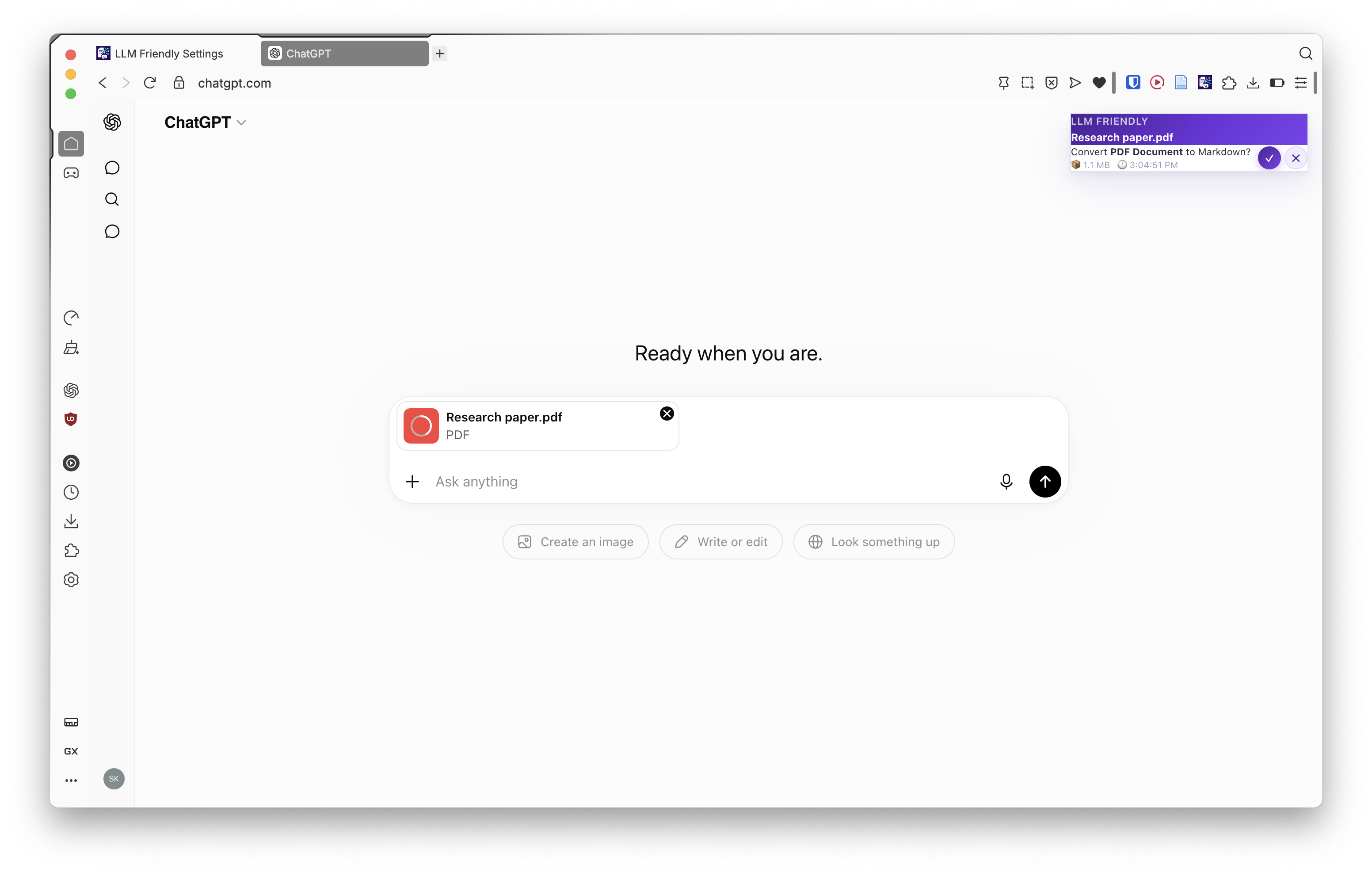
- Click Convert (✓) to start conversion, or Skip (✕) to let the original file upload through. A spinner shows while the conversion runs.
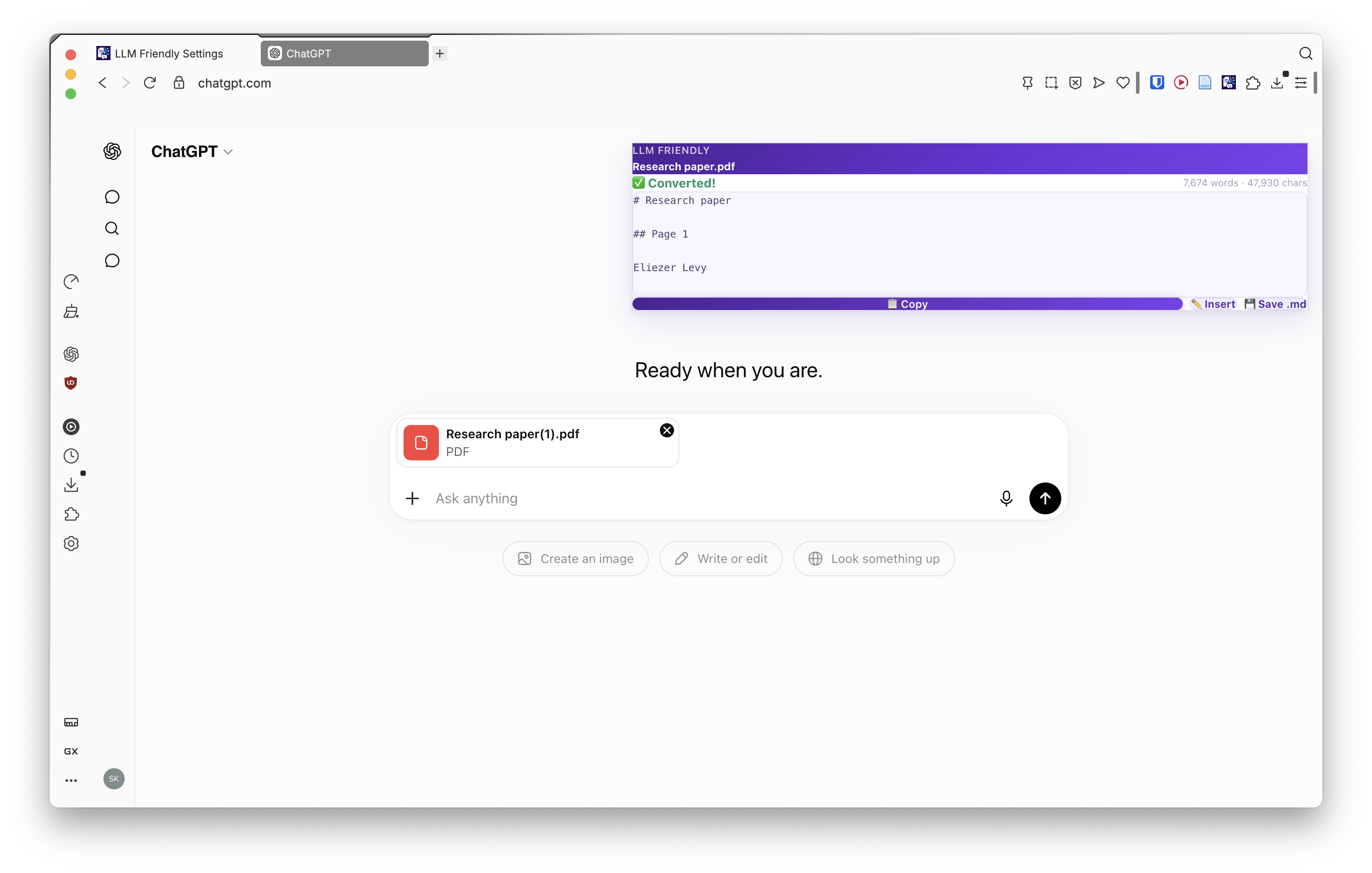
- Once complete, choose what to do with the Markdown:
- Copy (📋) — copy Markdown to clipboard.
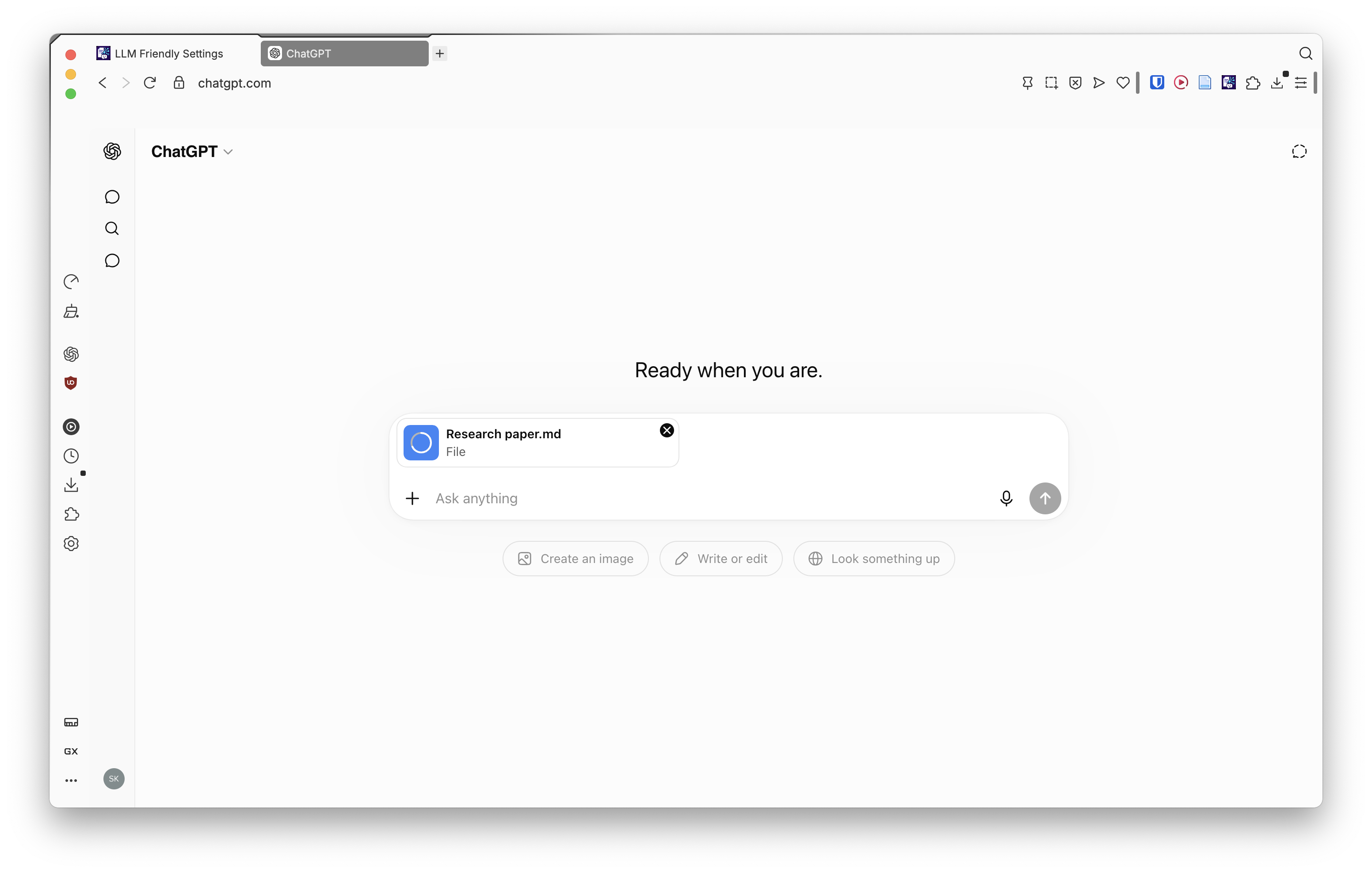
- Insert (✏️) — attach the
.mdfile into the chat input. - Save (💾) — download as
.md(saved to~/Downloads/LLM Friendly/by default).
Extension Popup
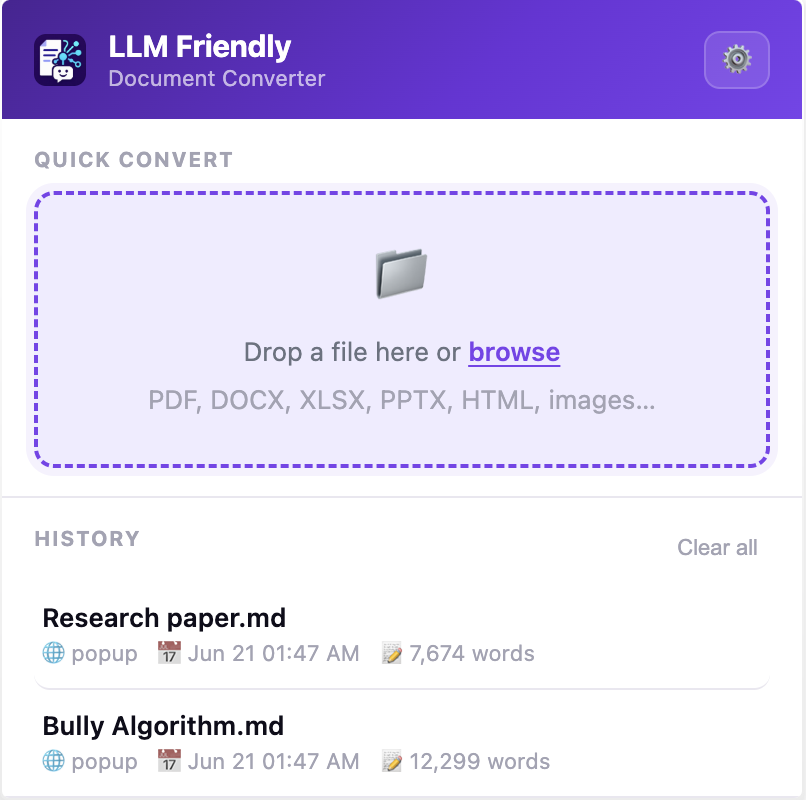
Click the extension icon in the toolbar to open the popup. Here you can drag‑or‑select a file to convert without needing a file input on the page, and browse your local conversion history. Each history item lets you Copy, Insert, or Save the previously converted Markdown.
Settings
Open the extension Options (via the popup ⚙️ or right‑click → Options) to configure:
- Theme — choose Light, Dark, or System (follows your OS preference).
- Download folder — set a custom subfolder inside
~/Downloads/for saved.mdfiles. - Enabled sites — toggle the extension on/off for individual chat platforms (ChatGPT, Claude, Copilot, Poe, DeepSeek, Grok, Perplexity).
- Custom sites — add any website where you want the conversion prompt to appear.
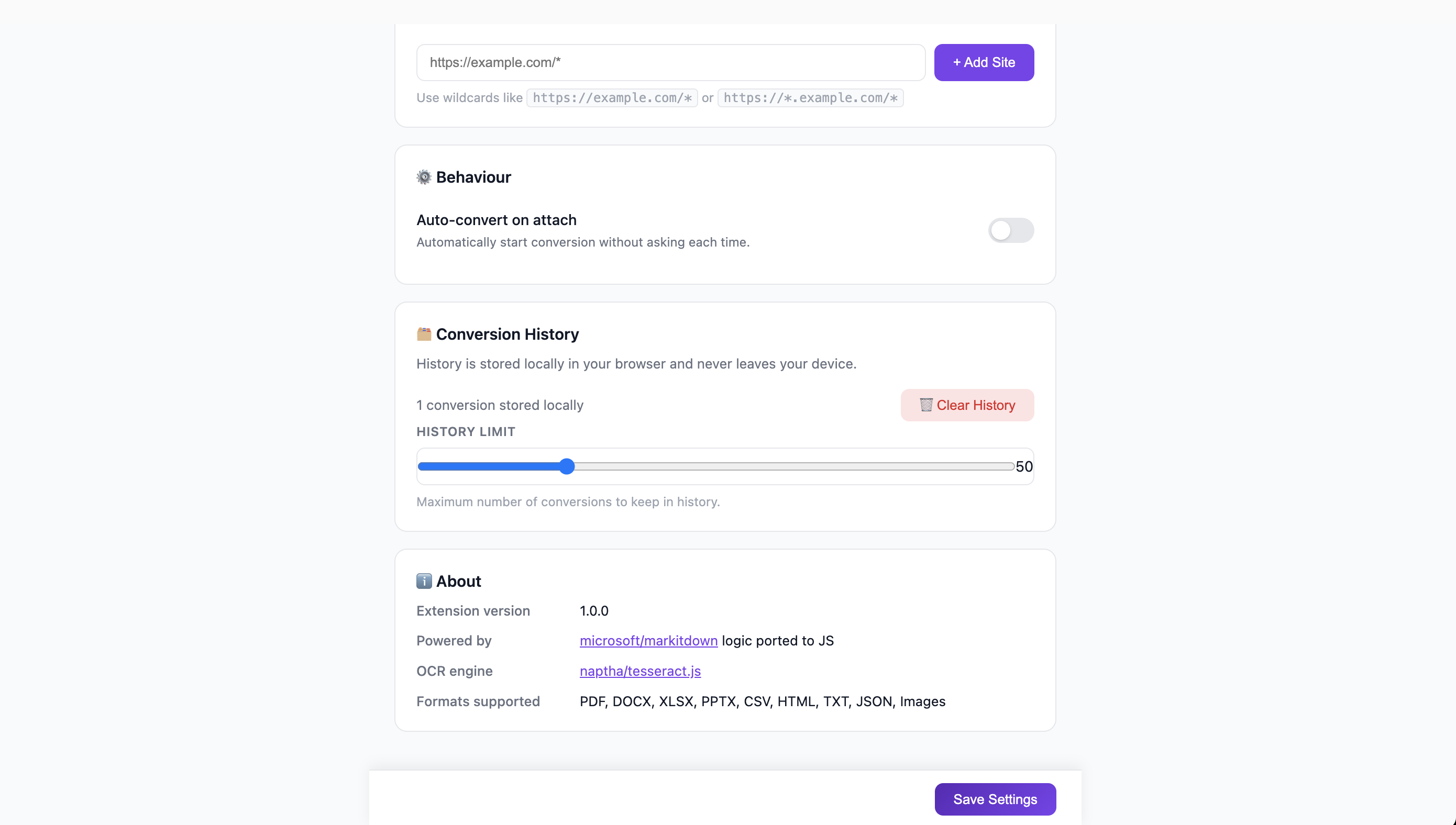
- Auto‑convert — skip the prompt and start conversion automatically when a file is attached.
- Intercept file uploads — choose whether to intercept files before they reach the chat (on) or let them upload while still offering conversion (off).
- OCR for embedded images — enable or disable text extraction from images inside PDF, DOCX, PPTX, and XLSX files.
- OCR language — select from 30+ Tesseract language packs for image text recognition (English is bundled; other languages download on first use).
- History limit — set the maximum number of conversions to keep in local history.
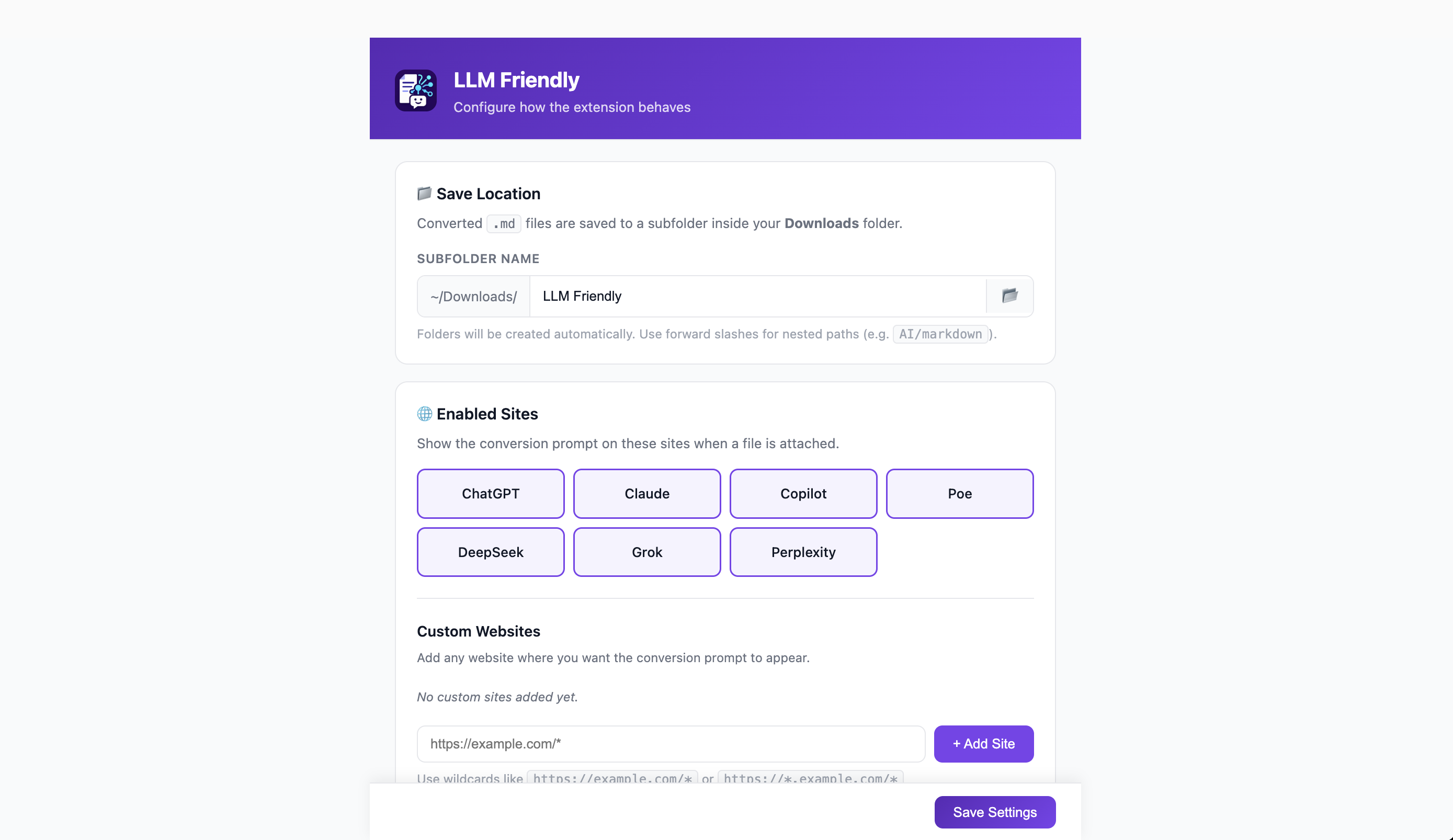
You can also manage your conversion history, set the maximum number of items to keep, and clear the history from the settings page.
Known Limitations
| Issue | Description | Work‑around / Status |
|---|---|---|
| Safari | No Safari web extension / App Store build yet. | See Future Work below. |
| Firefox folder picker | showDirectoryPicker() is Chrome-only. |
Type a Downloads subfolder name in settings. |
| Very large files | Multi‑hundred‑MB PDFs/DOCX can take noticeable time. | Split files or accept modest delay. |
| Complex layouts | Multi‑column tables, merged cells, or intricate formatting may lose layout. | Output focuses on readable text; manual tweaks may be needed. |
| ZIP depth | Only one level of ZIP extraction is supported (nested ZIPs inside a ZIP are ignored). | Extract nested archives manually before attaching. |
Future Work
- Safari extension — adapt the build for Safari Web Extension and publish via the App Store.
- Service‑worker robustness — improve handling of extension updates and context invalidation to reduce “Extension context invalidated” errors on Chromium.
- Broader E2E coverage — expand Playwright coverage across more chat sites and edge cases.
Acknowledgments
- Markitdown - the original Python library that powers the Markdown conversion logic (ported to JavaScript for this extension).
- Tesseract.js - the OCR engine used to extract text from images.
- Additional libraries -
pdf.js,mammoth,turndown,sheetjs,fflate,xlsx,webextension-polyfill, etc.
Privacy
LLM Friendly is designed with privacy in mind. All file processing happens locally in your browser-none of your data is ever transmitted to external servers. For full details, see the Privacy Policy.
License
LLM Friendly is licensed under the MIT License.
This project includes code derived from Microsoft’s MarkItDown project (MIT License) and uses Tesseract.js/Tesseract OCR (Apache License 2.0). See THIRD_PARTY_NOTICES.md for details.
Source Code
GitHub: https://github.com/shibi1306/LLM-Friendly